> For the complete documentation index, see [llms.txt](https://docs.nucleon.network/llms.txt). Markdown versions of documentation pages are available by appending `.md` to page URLs; this page is available as [Markdown](https://docs.nucleon.network/features/liquidity-pools/cfx-nut/withdraw-cfx-nut-liquidity-from-liquidity-pools.md).

# Withdraw CFX/NUT Liquidity from Liquidity Pools

1. Manually enter the amount that you would like to withdraw, or simply use the slider, and then click on Withdraw Liquidity.

<figure><img src="/files/O9gfKfAY6Ultj6TDFypI" alt=""><figcaption></figcaption></figure>

2. Check transaction details and click Confirm.

<figure><img src="https://lh4.googleusercontent.com/9K9y7qU-t41N0PFViSNe02B0UU88KhkT76T8aOfVuhj7lwbgO7Hpm8-TQ3JtYK-1q8bgi-xYsRYj5lpRj7M7ZfJq99rg3U_m1MOoXlVq02L7ZFS1VyzAKt4_IFkrrt7U4m61pyO8fvkrP2mgE_Y-F3ANuCX0plgC3SPPAhIEzd5fqQN6KF3vc_-g8m_xQw" alt=""><figcaption></figcaption></figure>

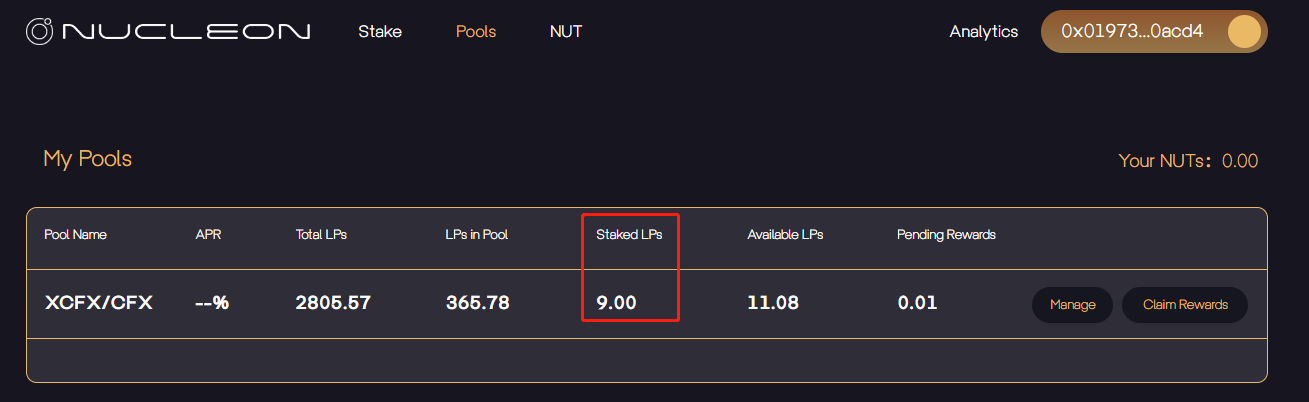
3. You have successfully withdrawn liquidity, and Nucleon will now show the updated balance.

<figure><img src="https://lh4.googleusercontent.com/IO2ESUD7cjE5KUkMYOFRTPsBpHqM07svXsynKLafMYtZB3Daop8tE2mD7euZ_tL1VAXiZaCkI9ACUKnLw9dbkwYVhGth8zrt_w-0uiH8teEHaGrPpdtgq69kXRkK_2L8HvkJ9-1BkNTK3CtGQXJDK5u0mqF919k9AzijaAjDKV0oC6rEYNCl3tF3F7YK8w" alt=""><figcaption></figcaption></figure>

<br>